Free Image Enhancer Online – Improve Image Quality
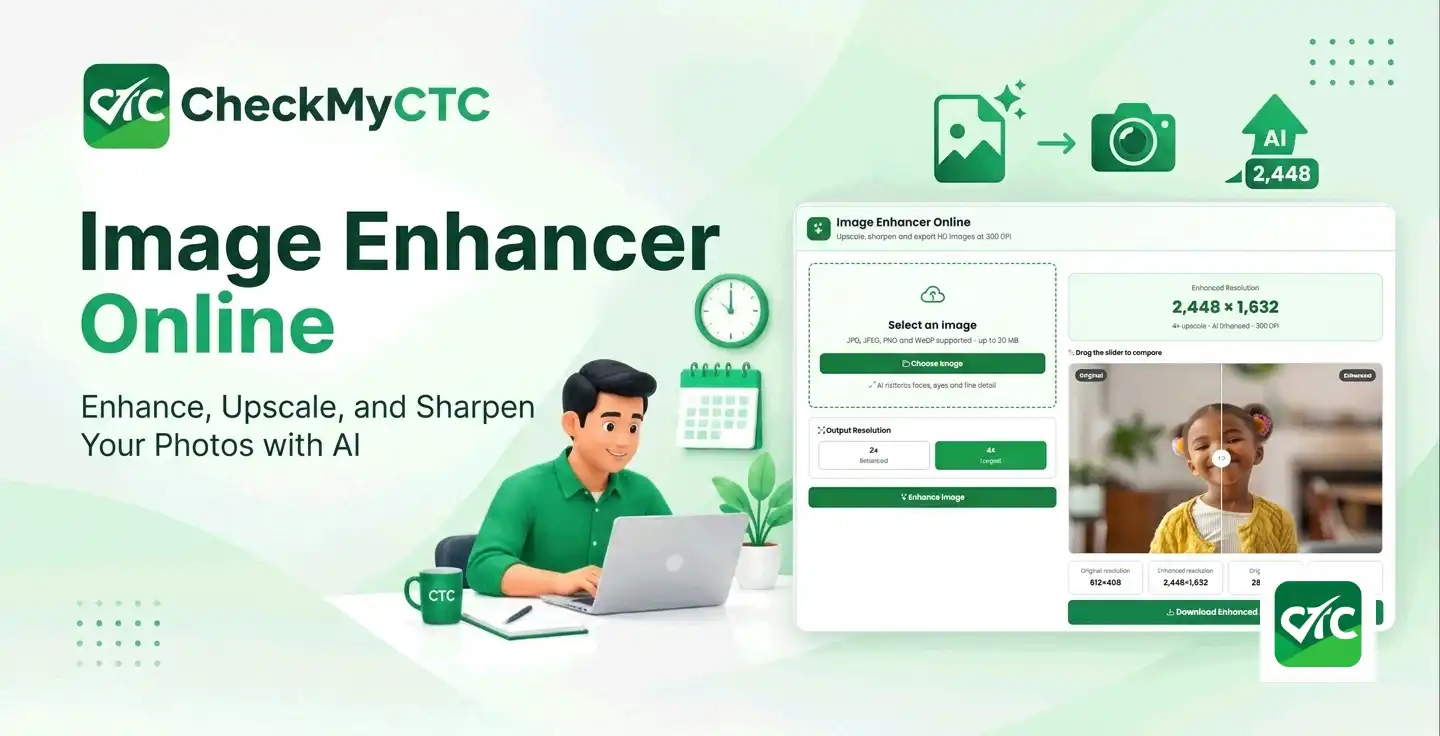
Free Image Enhancer Online: Improve Image Quality in Seconds
Have a blurry photo, a small image that looks pixelated, or a picture that needs more clarity? You may not need to install photo-editing software just to improve it. A free image enhancer online can help you create a clearer-looking image and increase its resolution using a browser-based tool.
The CheckMyCTC Image Enhancer Online lets you enhance images using 2× or 4× output options. It supports JPG, JPEG, PNG and WebP files up to 20 MB, and provides enhanced output with 300 DPI metadata according to the tool's published description.
In this guide, you will learn how image enhancement works, how to use the free tool, when to choose 2× or 4× enhancement, and how an image enhancer compares with an image compressor, image sharpener and conventional photo editor.
What Is an Image Enhancer?
An image enhancer is a tool designed to improve the visual appearance of a photograph or other image. Depending on the method used, enhancement can improve apparent sharpness, reduce certain image artefacts, improve edges or increase image resolution.
Image enhancement is useful when an image appears soft, contains compression artefacts or is too small for a particular display or printing purpose. AI-based super-resolution tools can estimate additional detail from the original image, although the result is not guaranteed to reproduce the exact details of the original scene.
A larger image is not automatically a better image. The source quality, enhancement method and intended use all affect the final result.
What Is a Free Image Enhancer Online?
A free online image enhancer lets you process an image through a website instead of installing a dedicated desktop application. It can be convenient when you need to improve a picture for a website, presentation, document or social media post.
The CheckMyCTC Image Enhancer is available at https://checkmyctc.com/image-enhancer.
The tool's published features include:
- Free online image enhancement.
- Support for JPG, JPEG, PNG and WebP images.
- A maximum listed upload size of 20 MB.
- 2× Balanced and 4× Largest output options.
- AI-based enhancement using Real-ESRGAN, as described on the tool page.
- Enhanced output with 300 DPI metadata.
The tool processes images on its server rather than exclusively inside your browser. The website states that uploaded images are removed from its temporary folder during routine cleanup. Avoid uploading confidential or sensitive images unless you are comfortable with the site's data-handling practices.
Why Use an Image Enhancer?
Improve the appearance of low-resolution images
A small image may appear pixelated when enlarged. An image enhancer can increase the output dimensions and estimate additional detail to produce a more suitable result for viewing or display.
Make soft images look clearer
Enhancement can improve the appearance of some soft images by sharpening edges and reconstructing detail. However, severely out-of-focus or motion-blurred photographs may remain imperfect.
Prepare images for websites and presentations
Improved image clarity can help when preparing pictures for web pages, presentation slides, product listings or other digital content. Always check the final dimensions and file size against the requirements of the destination.
Prepare larger images for printing
Upscaling can increase an image's pixel dimensions before printing. The CheckMyCTC tool states that its output carries 300 DPI metadata. Remember that DPI metadata alone does not guarantee print quality: the actual pixel dimensions, original detail and intended print size also matter.
How to Use the CheckMyCTC Image Enhancer
- Open the tool: Visit the free CheckMyCTC Image Enhancer.
- Select your image: Choose a JPG, JPEG, PNG or WebP image from your device. The listed maximum file size is 20 MB.
- Choose the output resolution: Select 2× Balanced for a moderate enlargement or 4× Largest for a larger output.
- Start enhancement: Click the Enhance Image button and keep the page open while processing finishes.
- Review the result: Check the output for unwanted changes to faces, text, edges and other important details.
- Save the enhanced image: Download the result if it meets your needs.
Processing time may vary with the image and selected output option. The tool page notes that 4× enhancement can take up to two minutes.
What Do 2× and 4× Image Enhancement Mean?
The output multiplier describes the increase in image dimensions. If an image is enlarged proportionally, both its width and height increase by the selected factor.
| Original image | Output option | Resulting dimensions | Total pixel count relative to original |
|---|---|---|---|
| 500 × 500 pixels | 2× | 1,000 × 1,000 pixels | 4 times |
| 500 × 500 pixels | 4× | 2,000 × 2,000 pixels | 16 times |
| 800 × 600 pixels | 2× | 1,600 × 1,200 pixels | 4 times |
| 800 × 600 pixels | 4× | 3,200 × 2,400 pixels | 16 times |
These are mathematical examples of proportional enlargement, not guaranteed output measurements for every uploaded file. Check the actual downloaded image dimensions after processing.
When should you choose 2×?
Choose 2× when you want a moderate increase in dimensions and the original image already has reasonable detail. It may be sufficient for website images, presentations and ordinary digital viewing.
When should you choose 4×?
Choose 4× when you need a substantially larger image and the original has enough useful information to support enhancement. Larger output files may take longer to process and use more storage.
Four-times enlargement does not always produce a better-looking image than two-times enlargement. Compare both options when possible and choose the result that preserves the most natural-looking details.
How Does AI Image Enhancement Work?
Traditional resizing changes an image's pixel dimensions through interpolation. It can make an image larger, but it does not necessarily recover convincing detail that was missing from the original.
AI super-resolution models are trained to estimate how image details may look at higher resolutions. The CheckMyCTC Image Enhancer identifies Real-ESRGAN as its enhancement model.
Depending on the source image, this process may improve apparent texture, edges and clarity. It can also introduce artificial patterns or details that were not present in the original. Treat the output as an enhanced representation rather than definitive evidence of previously invisible information.
Image Enhancer vs Image Upscaler
The terms image enhancer and image upscaler are related, but they do not always describe exactly the same task.
| Feature | Image enhancer | Image upscaler |
|---|---|---|
| Main purpose | Improve perceived image quality. | Increase image dimensions and resolution. |
| Typical operations | May include sharpening, denoising, colour adjustments or detail reconstruction. | Enlarges width and height, sometimes using AI reconstruction. |
| File dimensions | May remain unchanged or increase, depending on the tool. | Normally increases. |
| Best use | Images that need visual improvement. | Images that need larger output dimensions. |
Some tools perform both functions. CheckMyCTC combines image enhancement with 2× and 4× output options, making it useful when you want to improve an image while enlarging it.
Image Enhancer vs Image Compressor
An image enhancer and an image compressor solve different problems. Choose the tool according to what you need to improve.
| Comparison | Image enhancer | Image compressor |
|---|---|---|
| Main goal | Improve apparent clarity and optionally enlarge an image. | Reduce an image's file size. |
| Common reason to use it | A picture looks soft, small or low-resolution. | An image is too large to upload or slows down a website. |
| Typical result | May produce larger pixel dimensions and a larger output file. | Usually aims for a smaller output file. |
| Does it guarantee better quality? | No. Results depend on the original image and enhancement method. | No. Excessive compression can reduce image quality. |
| CheckMyCTC tool | Image Enhancer Online | Image Compressor Online |
If your image looks blurry and needs improvement, start with an enhancer. If your image looks fine but the file is too large, use an image compressor instead. You may need both operations for some workflows, but always review the quality and file size after processing.
Free Image Enhancer vs Paid Photo Editing Software
A free online image enhancer is convenient for occasional image improvement. Paid photo-editing software may be more appropriate when you need advanced retouching, detailed manual adjustments, layer editing, batch workflows or specialised colour controls.
| Consideration | Free online enhancer | Paid editing software |
|---|---|---|
| Cost | Can be used without purchasing a subscription when the tool is offered free. | May require a licence or subscription. |
| Setup | Access through a website. | May require installation or account setup. |
| Workflow | Suitable for straightforward enhancement tasks. | May provide broader editing controls. |
| Internet requirements | Generally needs an internet connection, particularly when processing occurs on a server. | Depends on the software and its licensing or processing requirements. |
| Control over the result | Depends on the options provided by the online tool. | Often offers more manual control. |
Neither option is automatically better for every user. For a quick, free enhancement task, try the CheckMyCTC Image Enhancer. For complex professional editing, consider whether you need features beyond enhancement and upscaling.
Image Enhancement vs Image Resizing
Image resizing changes the width and height of an image. Depending on the resizing method, it may simply interpolate existing pixels rather than estimate additional detail.
Image enhancement aims to improve perceived quality, while AI-based upscaling combines enlargement with a model's estimate of higher-resolution details. The resulting image may look clearer, but it cannot guarantee recovery of the exact original details that were never captured.
If you only need a particular width and height, resizing may be enough. If you also want to improve the apparent quality of a small image, enhancement may be more suitable.
Practical Tips for Better Image Enhancement Results
- Start with the highest-quality original image available.
- Avoid repeatedly enlarging and re-saving the same image.
- Compare the original and enhanced results at normal viewing size and at higher zoom.
- Check faces, small text, logos and fine edges for unnatural changes.
- Choose 2× when moderate enlargement is enough; use 4× when you genuinely need larger dimensions.
- Keep a copy of the original file so you can compare results or try a different setting.
- Check output dimensions and file size before uploading the image to another website.
- For printing, consider the intended print dimensions and actual pixel count, not only the DPI metadata.
- Do not use an AI-enhanced image as proof of details that were not clearly visible in the original.
Who Can Benefit from a Free Online Image Enhancer?
- Students: Improve the presentation quality of suitable images for assignments and slides.
- Content creators: Prepare images for blog posts and digital content.
- Small businesses: Improve the presentation of product pictures and promotional images.
- Website owners: Prepare clearer visual assets, while checking that the final files remain appropriately sized.
- Office workers: Improve suitable pictures used in presentations and documents.
- Everyday users: Experiment with improving low-resolution pictures for personal use.
Enhancement may not produce satisfactory results for every source image. A very blurry, tiny or heavily compressed image may still have visible limitations after processing.
Limitations and Privacy Considerations
Image enhancement is an estimate-based process, and output quality varies according to the original file and the selected enlargement. Fine text, facial features and small objects may be altered during reconstruction.
The CheckMyCTC Image Enhancer processes files on the server, according to its published tool description. The website states that uploaded images are removed from the temporary folder during routine cleanup. This is not the same as saying that files never leave your device or are deleted immediately after processing.
Do not upload sensitive personal documents, confidential business images or other private files unless you have reviewed the site's privacy policy and are comfortable with its handling of uploaded content.
For professional printing, legal evidence or other high-accuracy applications, verify the enhanced image against the original and use a suitable specialist workflow when necessary.
Frequently Asked Questions
1. Is the CheckMyCTC Image Enhancer free?
Yes. The CheckMyCTC Image Enhancer is presented as a free online tool. Visit Image Enhancer Online to use it.
2. Which image formats are supported?
The published tool supports JPG, JPEG, PNG and WebP images, with a listed maximum upload size of 20 MB.
3. Can I enhance a blurry image online?
You can try enhancing a blurry image online. The result depends on the severity and type of blur. Enhancement may improve apparent clarity, but it cannot guarantee recovery of all missing detail.
4. What is the difference between 2× and 4× enhancement?
For proportional enlargement, 2× doubles the width and height, while 4× quadruples both dimensions. The total pixel count becomes four times the original at 2× and sixteen times the original at 4×.
5. Does 300 DPI guarantee high-quality printing?
No. DPI metadata is only one factor. The original pixel dimensions, the intended print size and the actual image detail also affect print quality.
6. Is an image enhancer the same as an image compressor?
No. An enhancer aims to improve perceived image quality and may enlarge the image. A compressor aims to reduce file size. Use the tool that matches your main requirement.
7. Are uploaded images processed privately on my device?
The CheckMyCTC Image Enhancer processes images on its server, rather than exclusively on your device. Its published description states that images are removed from the temporary folder during routine cleanup. Avoid uploading sensitive files unless you have reviewed the site's privacy practices.
8. Will 4× enhancement always look better than 2×?
No. A larger output does not guarantee better visual quality. For some small or blurry source images, 2× can produce a more natural-looking result than 4×.
Conclusion: Enhance Images Online for Free with CheckMyCTC
Improving an image does not always require complex editing software. A free online image enhancer can be a convenient starting point when you want to improve the appearance of a soft or low-resolution picture.
The CheckMyCTC Image Enhancer offers JPG, JPEG, PNG and WebP support, 2× and 4× enhancement options, and output described as carrying 300 DPI metadata. Choose the setting that suits your image, review the result carefully and remember that enhancement cannot guarantee recovery of original details that are missing.
Ready to try it? Open the free CheckMyCTC Image Enhancer Online and enhance your image today.
Explore All CheckMyCTC Calculators & Tools
Check out the other free CheckMyCTC tools for salary calculations, employee benefits, HR tasks and everyday productivity. Choose a tool below to get started.
Salary & CTC Calculators
- Salary Hike Calculator
- Overtime Pay Calculator
- Work Experience Calculator
- Monthly Salary to Annual Package Calculator
- Annual Package to Monthly Salary Calculator
- Take-Home Salary Calculator
- CTC Breakup Generator
- Monthly Bonus Calculator
- Annual Bonus Calculator
- Job Offer Comparison Calculator
- Pro Rata Salary Calculator
Tax, PF & Employee Benefits
- HRA Tax Exemption Calculator
- EPF Provident Fund Calculator
- Gratuity Calculator
- LTA Calculator
- Professional Tax Calculator
- Income Tax Calculator
- National Pension System (NPS) Calculator
- ESI Calculator
- GST Calculator
Leave & Employment Tools
- Last Working Day Calculator
- Resignation Date Calculator
- Leave Amount & Salary Deduction Calculator
- Notice Period Calculator
- Earned Leave Encashment Calculator
- Sandwich Leave Calculator
- Maternity & Paternity Leave Calculator
Documents & Productivity Tools
Leave a Comment
Comments
No comments yet. Be the first to comment!