Best Free Take-Home Salary Calculator – Calculate Net Pay After Deductions
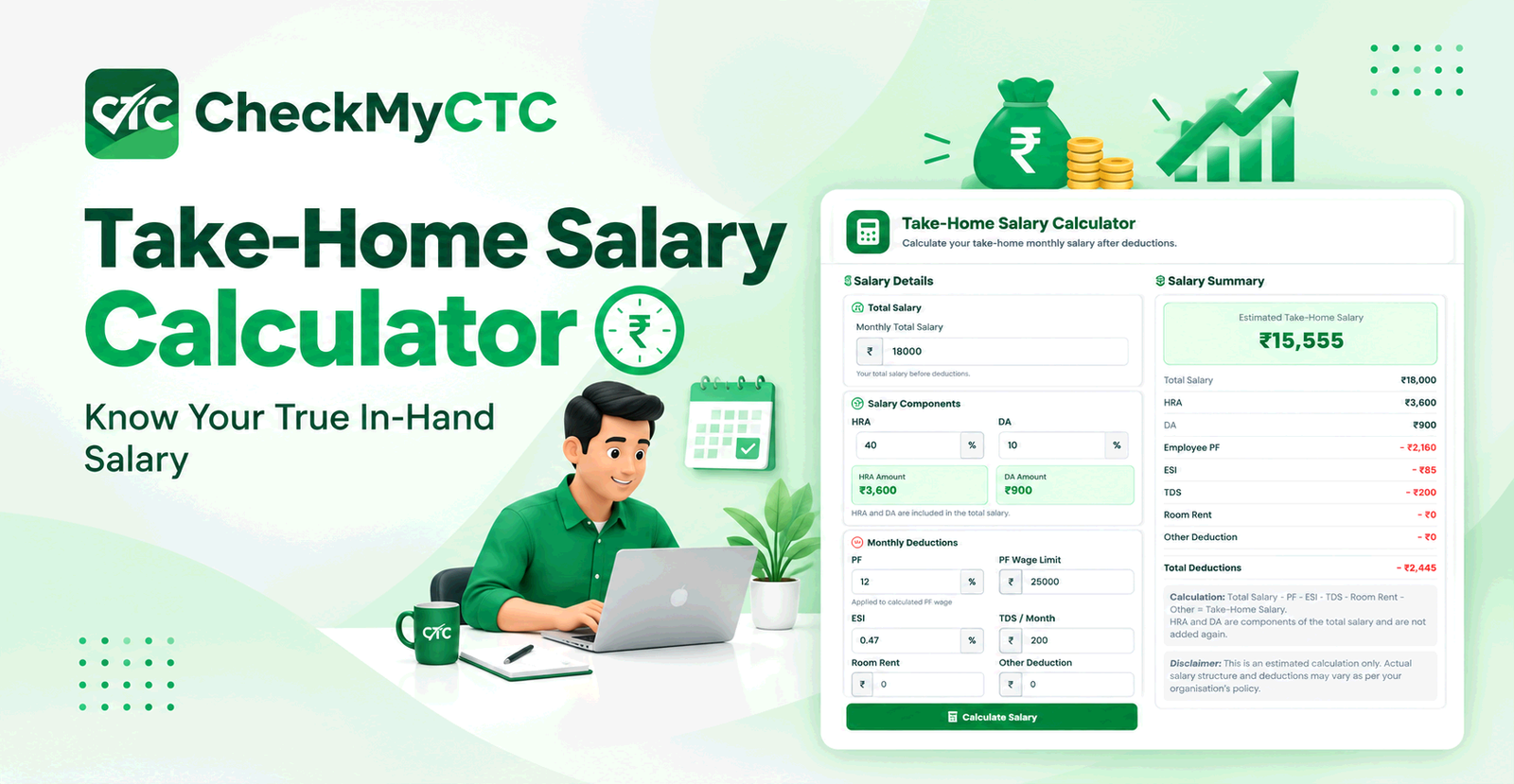
Best Free Take-Home Salary Calculator – Calculate Net Pay After Deductions
Receiving a new job offer or salary revision letter with a high Cost to Company (CTC) figure is exciting, but the number on paper rarely matches what actually arrives in your bank account each month. Many professionals face confusion when an attractive annual CTC translates into a significantly lower monthly deposit due to statutory deductions, tax withholdings, and structural allowances. Estimating your actual net income requires wading through complex salary components, which can be time-consuming and prone to manual errors.
The CheckMyCTC Take-Home Salary Calculator addresses this gap by converting annual gross salary packages into realistic monthly in-hand pay figures. By accounting for common payroll deductions such as Employee Provident Fund (EPF), Professional Tax (PT), and Income Tax, this tool gives working professionals, job seekers, and employees a clear preview of their actual spending power.
What Is the Take-Home Salary Calculator?
The Take-Home Salary Calculator is an online payroll estimation tool designed to calculate your net monthly income after subtracting mandatory statutory contributions, employer-side CTC components, and income tax withholdings. Rather than treating your total CTC as raw income, the calculator separates fixed earnings, variable performance pay, and tax-exempt components to display a realistic monthly payout.
This tool helps demystify compensation structures by breaking down annual salary offers into distinct monthly layers: Cost to Company (CTC), Gross Monthly Salary, Total Monthly Deductions, and Net Take-Home Salary.
What Problem Does It Solve?
The main challenge with compensation structures in modern organizations is that CTC includes expenses borne by the employer that never reach the employee directly. Common problems this calculator helps address include:
- The CTC Illusion: Misunderstanding how non-cash components (like employer EPF contributions, health insurance, and annual bonuses) reduce monthly cash flow.
- Job Offer Evaluation Ambiguity: Difficulty comparing two job offers when one has a higher base salary and the other offers higher performance bonuses or benefits.
- Budgeting Miscalculations: Making financial commitments—such as rent or loan EMIs—based on gross salary rather than net in-hand earnings.
- Tax Confusion: Overlooking how tax regimes (Old vs. New Tax Regime) and statutory thresholds alter monthly take-home pay.
How the Tool Works
Using the CheckMyCTC calculator is straightforward and takes only a few inputs from your salary breakdown or offer letter:
- Enter Annual CTC or Gross Pay: Input your total annual compensation as specified in your offer letter or appraisal document.
- Specify Fixed vs. Variable Pay: Enter any performance bonus or annual variable component included within your CTC.
- Input Allowance Breakdown: Enter core salary components such as Basic Pay, House Rent Allowance (HRA), and Special Allowances if available.
- Select Tax Regime & Deductions: Choose your applicable income tax regime and specify voluntary or statutory deductions (e.g., EPF or Professional Tax).
- Review Results: The tool generates a structured summary displaying your gross monthly pay, total deductions, and estimated net take-home salary.
Understanding the Calculation: From CTC to Net Pay
To understand how your in-hand pay is calculated, it helps to understand how salary components are structured from the top down.
$$\text{Gross Salary} = \text{Annual CTC} - (\text{Employer EPF Contribution} + \text{Gratuity} + \text{Employer Benefits})$$
$$\text{Total Deductions} = \text{Employee EPF} + \text{Professional Tax} + \text{Income Tax (TDS)} + \text{Other Voluntaries}$$
$$\text{Net Monthly Take-Home Pay} = \frac{\text{Gross Salary} - \text{Total Annual Deductions}}{12}$$
Key Salary Components Explained
- Basic Salary: The core cash component of your compensation, usually forming 40% to 50% of total CTC. Statutory deductions like EPF and Gratuity are computed directly on Basic Pay.
- House Rent Allowance (HRA): An allowance provided for accommodation expenses, which may offer tax exemption under specific conditions in the Old Tax Regime.
- Employee Provident Fund (EPF): Typically set at 12% of Basic Pay for the employee contribution, with an equivalent contribution made by the employer (often included inside the overall CTC figure).
- Professional Tax (PT): A state-level statutory tax levied on salaried employees, typically ranging up to $200–$300 (or equivalent regional currency) per month based on salary slabs.
- Tax Deducted at Source (TDS): Estimated monthly income tax withheld by the employer based on your projected annual taxable income.
Practical Example
Consider an employee offered an annual CTC package of $12,000 per year with a standard corporate salary structure. The company's compensation breakup includes an employer EPF contribution, basic pay set at 50% of CTC, and standard statutory deductions.
- Annual CTC: $12,000 ($1,000/month equivalent)
- Employer EPF Contribution (Included in CTC): $720/year ($60/month)
- Gross Monthly Salary: $1,000 - $60 = $940/month
- Employee EPF Deduction: $60/month
- Professional Tax & Income Tax Estimate: $80/month combined
- Total Monthly Deductions: $60 + $80 = $140/month
- Estimated Net Monthly Take-Home Pay: $940 - $140 = $800/month
While the annual CTC was $1,000 per month on paper, the actual monthly cash deposited into the employee's bank account is estimated at $800. Seeing this breakdown helps the employee set realistic monthly financial goals.
Who Can Use This Tool?
- Job Seekers & Candidates: People evaluating new employment offers to verify if a proposed CTC hike translates to an actual in-hand pay increase.
- Working Professionals: Employees expecting an annual performance appraisal who want to calculate their net salary increase.
- Fresh Graduates: Entry-level professionals who need to understand how statutory deductions work on their first offer letter.
- HR & Recruitment Teams: Recruiter professionals who need to explain compensation breakdowns clearly to prospective candidates.
Key Benefits
- Clear Cash Flow Expectations: Know your true monthly purchasing power before signing a contract or starting a new role.
- Better Offer Comparison: Easily evaluate two competing offers with different allowance structures.
- Simple & Fast: Eliminates manual formula building or complex tax rate lookups.
- Improved Financial Planning: Helps structure personal savings, household budgets, and debt payments on realistic net numbers.
Comparison: CTC vs. Take-Home Salary vs. Gross Salary
Understanding the distinction between these three financial terms is vital for every salaried employee. Here is how they differ in scope and practical impact:
| Parameter | Cost to Company (CTC) | Gross Salary | Take-Home (Net) Salary |
|---|---|---|---|
| Definition | Total expense incurred by the employer for the employee per year. | Total earnings before employee deductions and personal tax withholdings. | Actual cash deposited into the employee's bank account each month. |
| Included Items | Basic pay, allowances, employer EPF, insurance, gratuity, performance bonuses. | Basic pay, HRA, special allowances, paid incentives. | Gross salary minus employee EPF, Professional Tax, TDS, and voluntary deductions. |
| Usage | Used in employment contracts and offer letters. | Used for calculating taxable gross and loan eligibility base. | Used for day-to-day living expenses, savings, and monthly budgeting. |
Common Mistakes to Avoid
When calculating or evaluating take-home pay, avoid these frequent oversights:
- Assuming CTC Equals Bank Payout: Never base personal budgets directly on annual CTC divided by 12.
- Forgetting Retirals & Gratuity: Components like gratuity and employer EPF are long-term benefits or statutory reserves, not monthly liquid cash.
- Overlooking Variable Pay Conditions: Joining bonuses or annual performance incentives may only be paid annually or semi-annually based on company targets, not distributed monthly.
- Ignoring Tax Regime Differences: Choosing between the Old and New Tax Regimes directly changes monthly TDS withholdings depending on your investment deductions.
Limitations and Important Considerations
While our tool provides accurate estimates based on standard payroll conventions, actual pay stub amounts may vary slightly due to:
- Company-Specific Allowances: Unique benefits like food coupons, cab allowances, or gym reimbursements may carry specific tax exemptions.
- Voluntary Deductions: Additional voluntary contributions, such as Voluntary Provident Fund (VPF) or group health insurance top-ups, are personal choices that alter final payouts.
- Middle-of-Year Adjustments: Joining mid-year or tax adjustments based on investment proof submission in later quarters can alter monthly TDS temporarily.
Always review your official company salary break-up sheet or consult your corporate HR and payroll team for definitive pay slip calculations.
Simplify Salary Planning with CheckMyCTC
CheckMyCTC provides practical tools designed to help employees understand salary and workplace calculations. Whether you are analyzing a career shift, planning for appraisal cycles, or reviewing contract details, our free utility tools offer clear, unbiased financial clarity.
Try the free Take-Home Salary Calculator to instantly convert your CTC package into clear monthly in-hand figures.
Frequently Asked Questions
What is the basic difference between CTC and take-home salary?
CTC is the complete annual cost an employer spends on an employee, including benefits, insurance, and retirement contributions. Take-home salary is the net cash amount credited to your bank account after all employer-side costs, employee statutory deductions, and taxes are removed.
Why is my actual take-home salary lower than my calculator estimate?
Differences usually happen when there are unmodeled company-specific deductions, such as higher health insurance premiums, cafeteria charges, voluntary provident fund (VPF) contributions, or mid-year tax withholdings by your payroll department.
Is EPF deducted from both the employer and the employee?
Yes. The standard statutory EPF contribution consists of two parts: the employer's contribution (typically part of your CTC) and the employee's contribution (deducted from your gross salary to reach your net pay).
How does variable pay affect monthly in-hand salary?
If your CTC includes a variable pay component, employers usually withhold that portion from regular monthly pay slips and disburse it quarterly, bi-annually, or annually based on performance goals.
Can I use this calculator for comparing two different job offers?
Yes. By inputting the specific CTC structures, basic pay percentages, and variable components of both offer letters, you can easily evaluate which job offers higher monthly liquid cash flow.
Plan Your Monthly Budget with Clarity
Understanding your true net salary removes surprises from job transitions and financial planning. Take control of your career decisions by converting your CTC package into clear in-hand pay. Calculate your net monthly payout using the Take-Home Salary Calculator today.
Leave a Comment
Comments
No comments yet. Be the first to comment!